
Snagstream for renovation and restoration
Capture on site, no paperwork afterwards. In renovation you never know exactly what you will find, and your record has to keep up with that.
New build follows a plan. Renovation follows reality. You work in existing buildings, with subcontractors who need to know exactly what has to happen and where. Meanwhile you adjust your approach daily based on what you find: unexpected structures, hidden damage, materials that are nowhere on the drawing.
That calls for a way of recording that is as flexible as the work itself. Not a checklist that forces you into a fixed order, but a tool that lets you capture what you see the moment you see it, exactly where you see it.
Everything we want repaired, we can simply document with photos.
Witte Bouw, on the restoration of the Westertoren
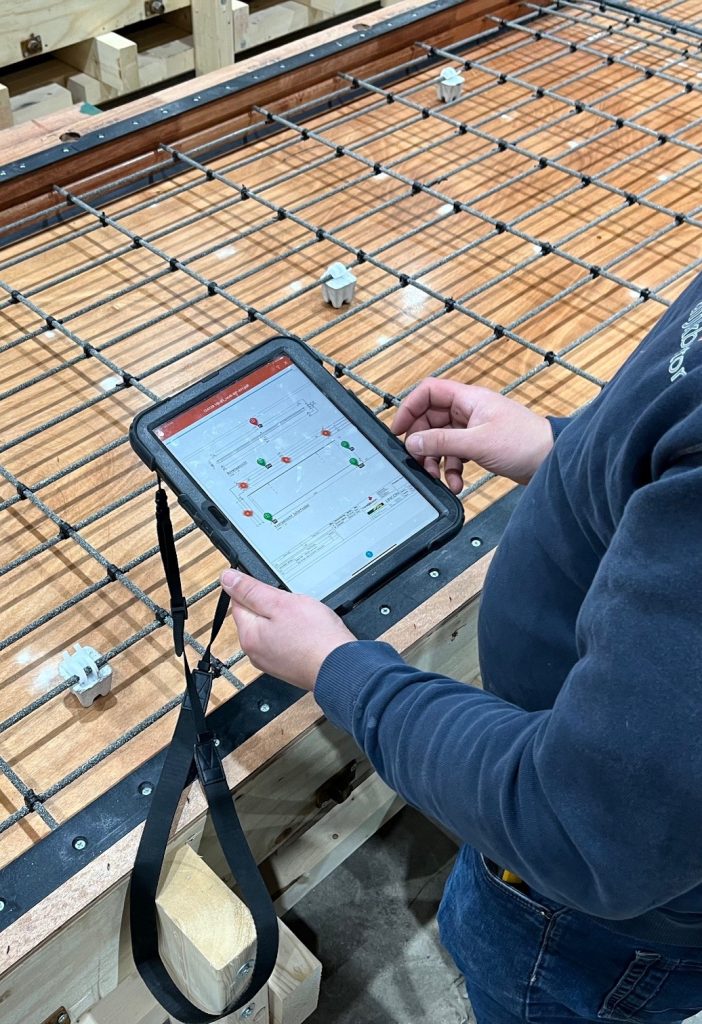
Snagstream gives you that. You open the floor plan or a photo of the object, drop a point at the right spot, add a photo and note what needs to be done. Your subcontractor knows exactly what and where. You have a complete record without spending an evening at your desk.
What Snagstream does on renovation projects
Capture on a drawing or photo
Upload the existing floor plan or a photo of the facade, ceiling or structure. Drop points at the location of defects or work to be done. Not a general description, but a precise instruction.
Photos linked straight to the location
Take a photo on site and link it directly to the point on the drawing. Your subcontractor sees not only what needs to happen, but also how it looks right now.
For our subcontractors we can point out the exact spot, and set out what they need to do.
Witte Bouw, on the restoration of the Westertoren
Reporting without extra work
Everything you capture can go into an automatically generated report. A PDF ready for the client, the quality assurance inspector or the WKB file. No retyping by hand, no loose photo folders.
Works offline too
On sites without wifi or a mobile signal, Snagstream simply keeps working. Everything syncs as soon as you are back online.
Direct subcontractors without chat apps
Give subcontractors access to the points that are relevant to them. They see exactly what needs to happen, can update the status, and you no longer need to call for an update.
Witte Bouw restores the Westertoren with Snagstream
Witte Bouw is an experienced restoration company in the Netherlands, working on national monuments, municipal monuments and buildings in protected cityscapes. For the restoration of the Westertoren in Amsterdam they use Snagstream to record work and changes on drawings with photos and to direct subcontractors precisely.
A system like this for restoration did not exist yet.
Witte Bouw, on the restoration of the Westertoren
Who is Snagstream for in renovation?
Snagstream is used by site managers, project leaders and quality managers at renovation and restoration companies. It works for small teams restoring a single object and for larger contractors running several renovation projects at once.
Typical uses:
- Recording structural defects before work begins;
- Directing subcontractors on specific repairs;
- Progress tracking per object or per building section;
- Handover and handover file for the client or WKB quality assurance inspector;
- Documentation for liability questions on existing property.
Frequently asked questions
Does Snagstream work even if I have no current drawings of the building?
How do I give a subcontractor access without them seeing everything?
Is Snagstream suitable for the WKB file in renovation?
Can I also use Snagstream for an initial survey of the building before work starts?
Does Snagstream work without internet on site?
Blog

Meet Peter Brouwer, Market Launch Lead at Pro4all


From tendering to building management: how the Pro4all portfolio fits into your construction process

From egosystem to ecosystem: why connecting beats standalone tools